
An interesting product!
This weekend we stopped at Best Buy so Asher could get a new screen protector for his phone.
I wandered around a little bit, looking at the latest tech gadgets. I’m rather out of the loop when it comes to “cool tech stuff”, besides my iphone and Apple watch. Oh well. Part of me really doesn’t want to become one of those old people who has no idea how to change the TV channel or something. But part of me doesn’t have the energy to stay up on all these new inventions. Ha.
I ogled the pretty new iMacs display for a minute (and set off a loud alarm somehow as I tried to use the mouse! Apparently the mouse connection has been touchy and it kept thinking someone was trying to disconnect it. I was like, um… I swear I just moved the mouse?! Promise I’m not trying to steal it… The guy in the blue shirt turned it off and then I slinked away from the iMac section…).
Then I ended up in the Kindle section. The boys have Kindles now and I have borrowed theirs several times now. My verdict is still out on how much I like reading on it compared to paper books. I feel like I want to like it, but I’m not sure I really do. Then again, maybe I just need more time to adjust. I don’t know. Currently back to reading paper right now and I feel a sense of relief when I pick up a regular book.
But check out this neat Kindle Scribe!! I had never seen anything like this up close. It’s basically a regular Kindle (so you can read on it), but also with e-notebooks built in. I stood and played around with it for quite a while!
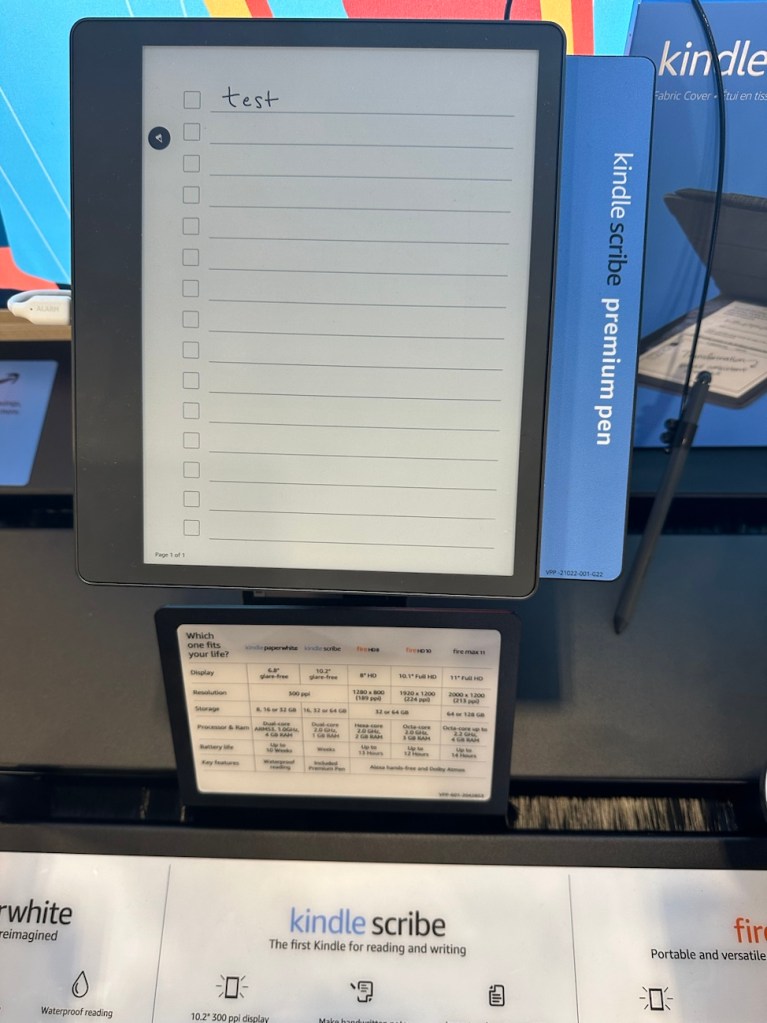
It has a menu of all different notebook page styles. The page above is obviously a check list style.
This one is a daily layout in 30 minute blocks:
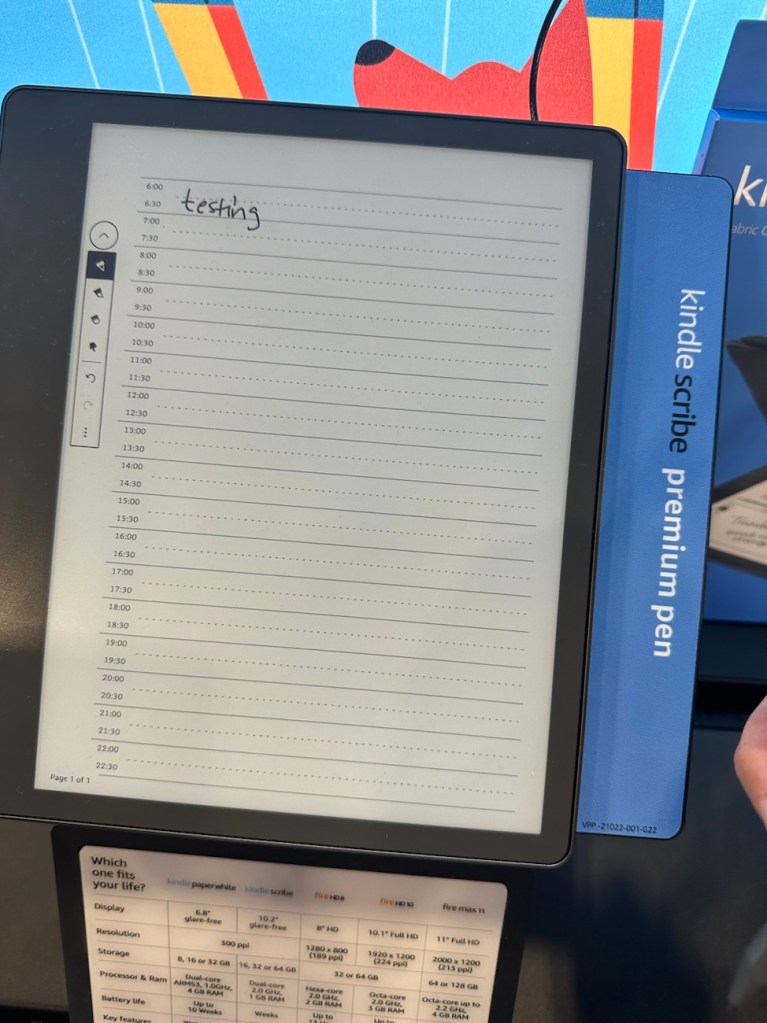
This could be a cool one for sketching out weekly priorities!
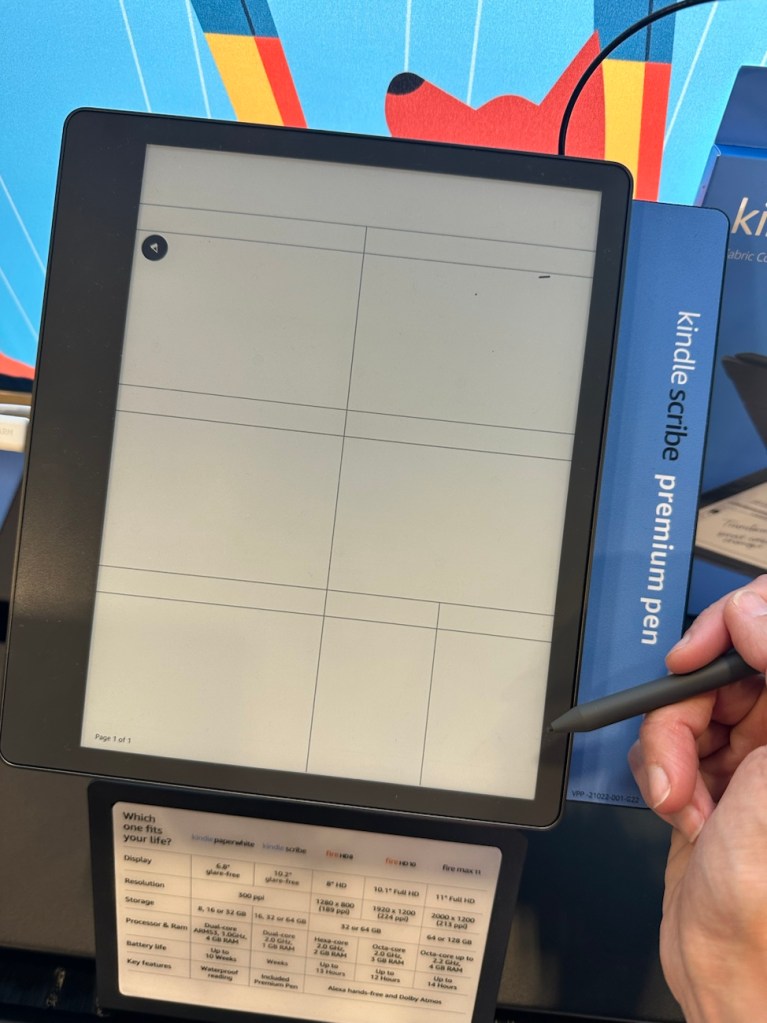
Maybe goals and sub-goals/ tasks in this one?
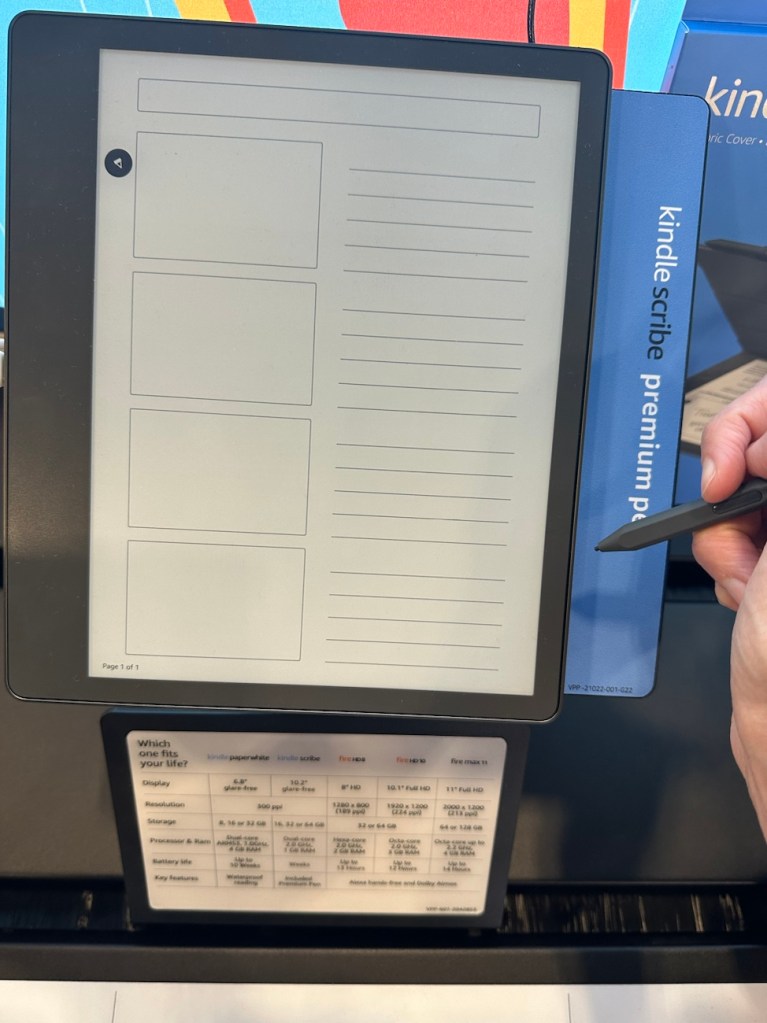
There’s even a whole monthly calendar grid, though I think it would be too small to be useful for me. But maybe for tracking only certain things?
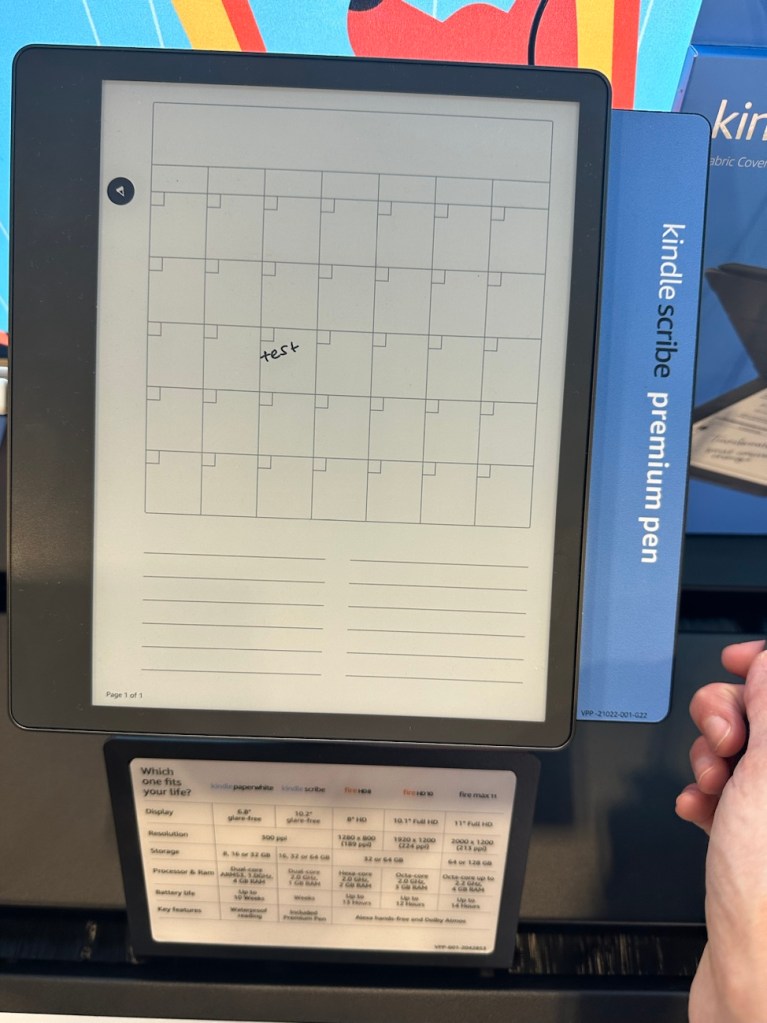
Here’s the menu with options:
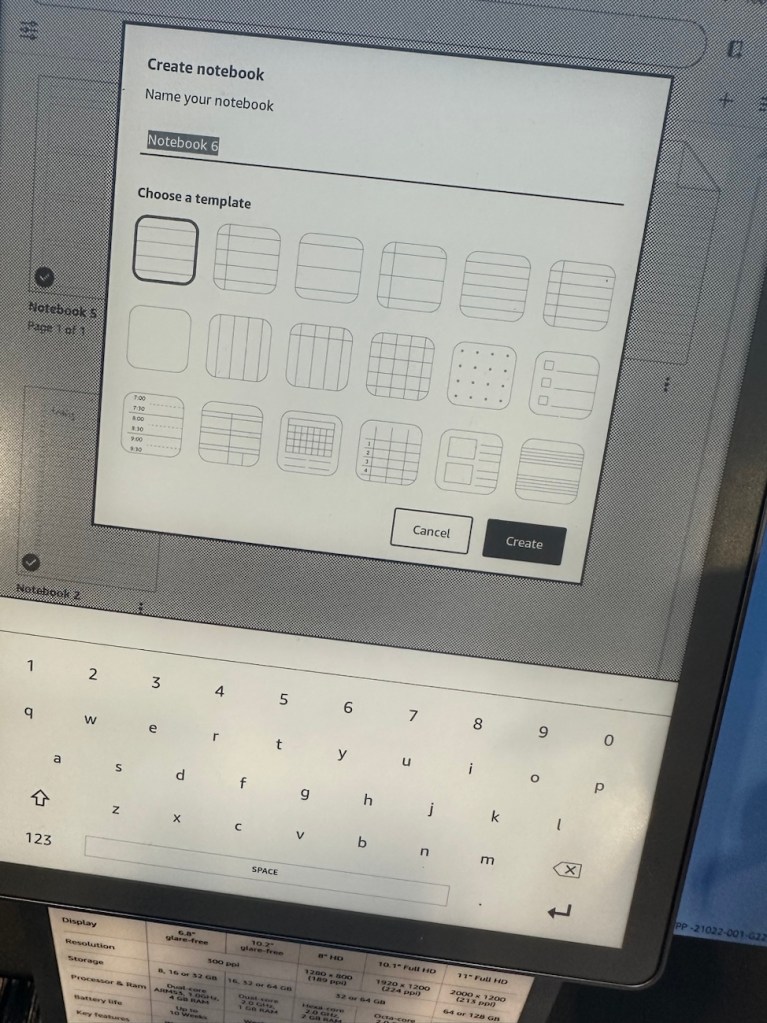
There are also full page dot grids, regular lined pages like in a notebook, horizontal lines, blank pages…. So many options!
And I think this is super cool because it’s all digital, but you write on it like regular paper! So you could have all different pages of notes organized in different notebooks yet NO CLUTTER, nothing to store.
I think it’s such a neat idea. Ironically, on Cal Newport’s Deep Questions episode yesterday he also reviewed a (different) e-notebook product. It sounds like he is using it currently in place of his various notebooks just for brainstorming ideas, etc.
The stylus pen on this Kindle Scribe felt surprisingly nice to write with, too.
Anyway, interesting idea!! I am not sure I see myself “needing” something like this, and I actually forgot to check the price. (BRB…. googling “kindle scribe price”…. looks like ~$340.)
I do think it would be a cool option for taking notes while reading! (a paper book). I love to jot down notes as I read (by hand), but then always feel like… ok, am I really going to keep all these notebooks full of random book notes? Having them saved automatically and electronically would be very cool.
*Sorry if this product is totally old news!! I feel like maybe I’ve seen a commercial before, but had never really looked at one before at all.
Have you ever tried anything like this, or would you?
Weekend scenes:
A highlight of our weekend was visiting our local botanical garden.
This weekend didn’t turn out to be the wide open, relaxing weekend I had envisioned… but oh well…. Ivan’s cousin ended up staying with us from Friday evening through ~5 p.m. on Sunday night. And she’s great!! I really, really like her, we get along super well, and it was very fun.
But I had not been planning on that, and it also meant I made approximately 0% percent progress on my goal of “catching up on life/ returning to the gym/ etc.”. But again- OH WELL. Really. Life is short, and family > organizing my email inbox. 🙂
*I did actually spend like, 3 hours Sunday evening filling out sports forms for Ethan and tackling a bunch of time-sensitive high school tasks, like setting up the Parent Portal, adding tuition account, etc. So in the end, I felt satisfied that I did make some important progress this weekend after all.
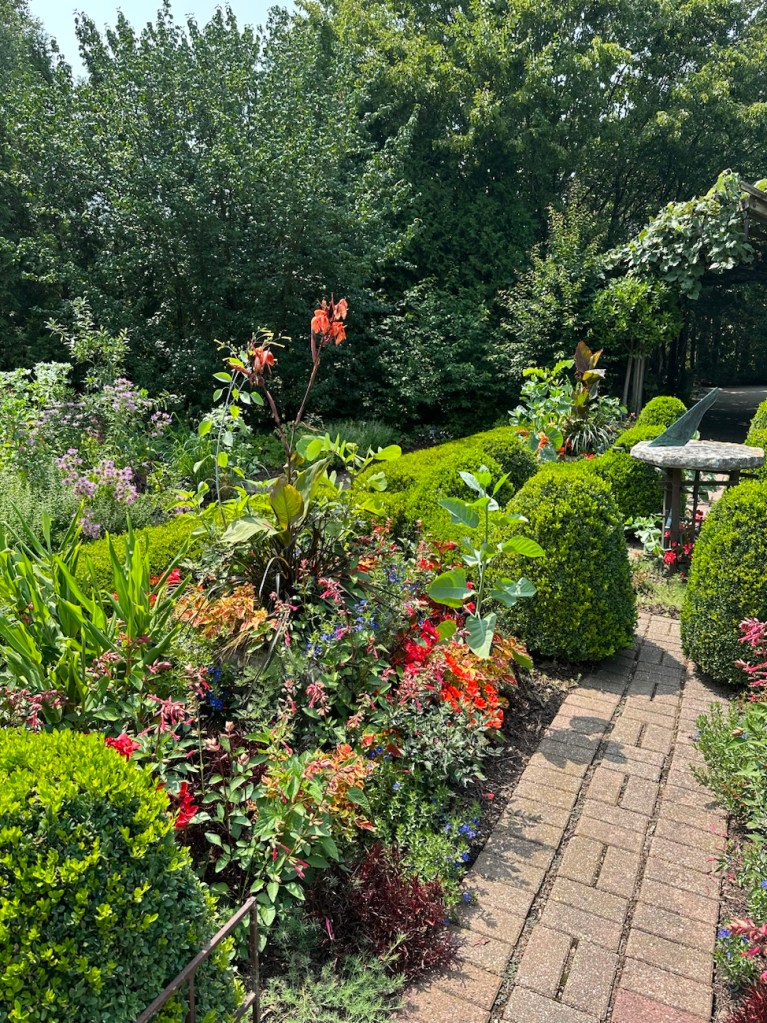
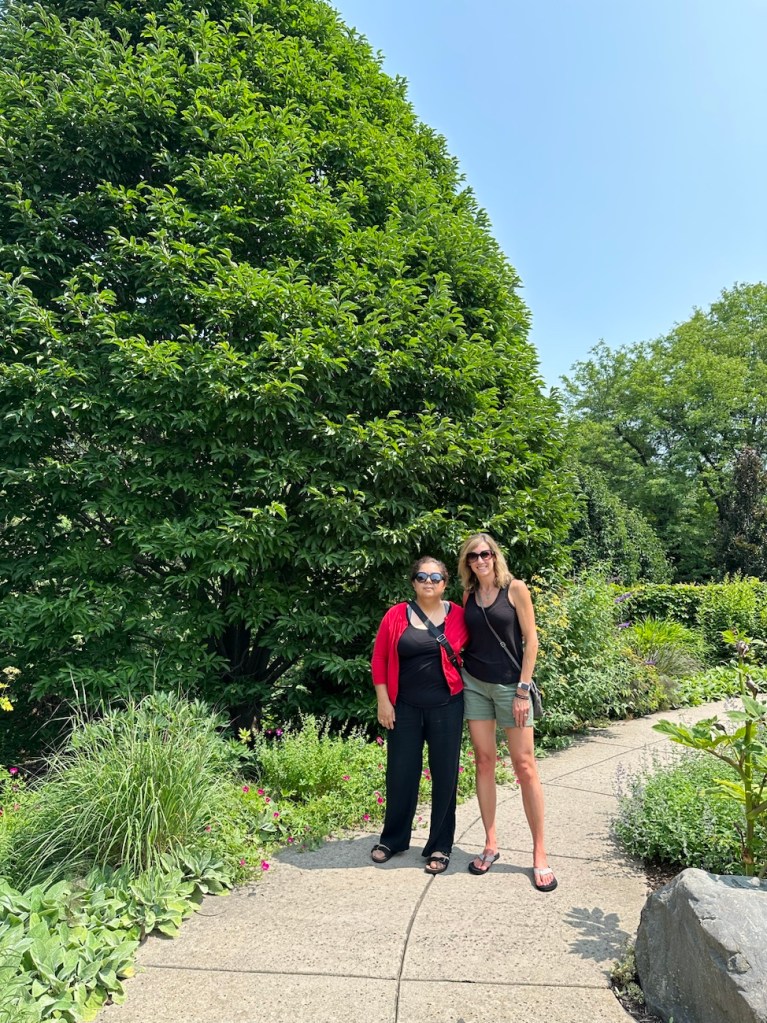
Here are some pics from the gardens- a most lovely place, and one I used to take the boys to all the time when they were little. (It’s free! And a big, safe, space for wandering around.) I hadn’t been here in a few years now, though, so I was overdue for a visit, and besides, it’s a great place to take an out-of-town visitor. 🙂






The Week
You’ll be happy to know that yesterday, Monday, I finally DID have a “normal day” and was able to get back to the gym!
I started over on a new week of workouts with Leg Day #1 (oof, feeling it already…taking time off always = a couple days of soreness when you get back to it!).
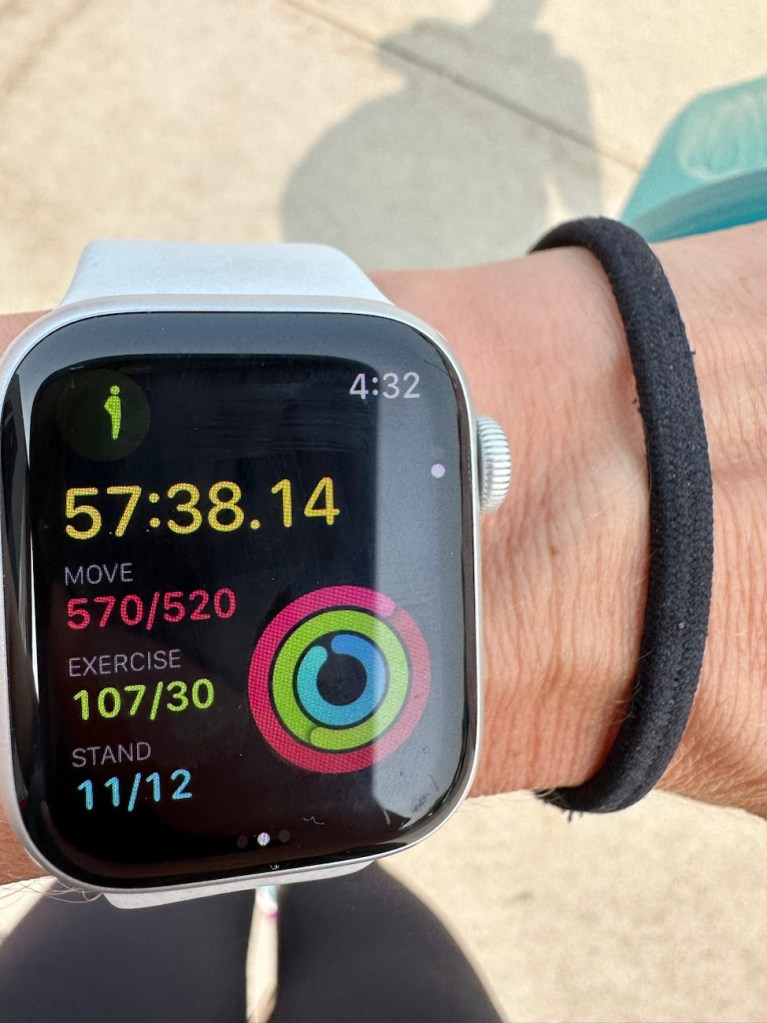
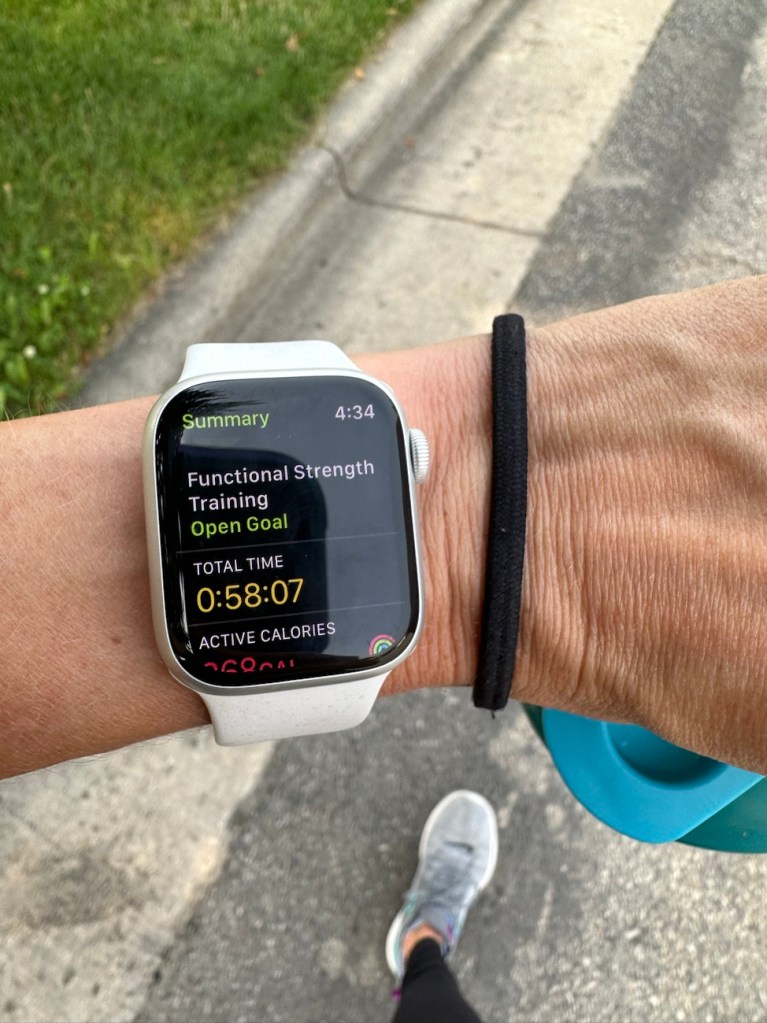
Ivan and I went on a fairly long early morning walk, too, so I felt great last night. All the movement made me happy.
I also made a (very quick/easy) yet protein packed and healthy, simple meal for dinner. Grocery shopping didn’t fit in this weekend, so options were low, but I had stuff on hand for a basic bistec a la mexicana. Just thin strips of steak (seasoned), onion, tomato and jalapeno pepper. Added some pinto beans for a nice complex carb, and done. Takes about 15 minutes to make this! And it’s yummy.

I feel very committed to staying on track now for a while. This upcoming month *should* be fairly low key, although Ethan starts school already August 14th. But Asher is still on break until August 31st, and we shouldn’t have too much in the way of activities for a while. Soccer and swim don’t really resume full swing until September with games, etc.
I’m probably underestimating something somewhere, though, so I’m sure I’ll end up still feeling busy and frazzled. LOL.
Thought of the Day:
When times are good, be grateful, and when times are tough, be graceful.
Daily Gratitude:
I am grateful that Ethan is really enjoying his tennis camp! I love when he gets excited about things. He can sometimes be a little “serious”, in a way. So I love seeing him really enthusiastic.
 GRATEFUL KAE
I had not heard of the kindle scribe! But I am so not on top of the latest tech! I have been a ereader user since probably 2008 or 2009? My parents bought me a nook and then I replaced it with a kindle years later and then replaced that with a kindle paper white years ago. I almost exclusively read on my kindle. I get annoyed when I have to read a physical book actually. I like the aesthetics of physical books but they are less accessible whereas I can always find a book to check out from Libby. I also end up reading on my kindle ap on my phone, too, like when I have downtime at a doctor appt or something. It syncs with my kindle so it super convenient.
I hope you have a great week of getting back on track. That was a long workout!! Well done! We are at the lake this week so I will run but that is easy to do as my mom watches the boys and I can do a 3 or 4 mile route. Today I jumped in the lake after a steamy 4 mile run and it felt so good!!
LikeLike
I totally see the benefits to using a Kindle! I do especially like the idea of having something more “valuable” to do on my phone. BUT, even when I had a Kindle book going, I never felt pulled to actually want to read it on my phone! I don’t know why. I think I just don’t really enjoy reading longer form text on my phone. A quick article or short blog post feels different to me. Not sure why! But then again, maybe I just need time to get used to it.
Ooh- jumping in the lake after a run sounds amazing!
LikeLike
This is me too – I literally cannot read a physical book anymore. I have a few I’ve been meaning to read for years, and I just gravitate toward my kindle. Reading on a paperwhite is worlds different than reading on a phone too. I HAVE used my kindle app on my phone in the same situations that Lisa describes, but I LOVE my kindle, and the ability to take it anywhere, especially on vacations where I don’t want to lug around 5 books and that you can read it in bright sunlight with no problem.
LikeLike
Oh, you started back at the gym with leg day? That will make you sore! The first time back is tough. But it’s a good sore, right?
Anyway… I don’t know. That kindle scribe is really cool, but just like I like reading actual books, I think I would rather have an actual planner or notebook for those things. I just like writing with paper and pen. I KNOW. I’m seriously old fashioned- my kids just laugh at me. I’ll definitely be one of those old people who don’t know how to use the remote.
LikeLike
Hard agree 🙂 real paper please!!!!! For so many reasons!!!
LikeLike
I get it! And I think I generally agree. I have been moving more to digital for my calendar purposes, and even some list making, but I’m not sure that I would want to write on the tablet thing like that all the time. If I’m going to write by hand, I think I’d prefer paper. But I just see so many perks to not having to STORE all that paper… and having whatever I wrote so easily accessible wherever I am, versus potentially sitting at home in a notebook…
LikeLike
The Kindle Scribe sounds pretty amazing! For what it’s worth, I love my Kindle Paperwhite. I still read print books all the time, but my Kindle is my best friend when I travel. Plus, when I inevitably wake up at 3:00 in the morning, I can read without turning on the light and waking up my husband!
So happy to hear that you are getting back on track! I mean, happy for you, but also happy because it makes me hopeful that I will someday get back on track, too, lol. Things are so chaotic in my life right now, and regular exercise has definitely taken a backseat. But you did it! I hope the rest of the week goes smoothly and is a little less busy than your life has been lately!
LikeLike
Yes, I think the Kindle is PERFECT for traveling! I borrowed my kids’ Kindles on some travels this year, too. 🙂 And agree that it is awesome to not need a light. I also like the Kindle because it’s water resistant and can easily be used while sitting in our hot tub!! I am always terrified to attempt reading a library book in the water (obviously, bad idea…). haha. But when I go in alone it’s so relaxing to sit and read!
LikeLiked by 1 person
I’d not heard of the Kindle Scribe, so thanks so much for showing it off. I think that would be a great way for me to do some goal tracking. Hm. I will consider it and do more research on my own! I do love having a paper planner, but it would save me some time to already have layouts designed. It would also be nice to have everything in once place and not in several different locations. I love my Kindle Paperwhite – ebooks are easier to get from the library, are easier to hold in my hand, and I LOVE being able to increase the font size to whatever I want.
LikeLike
I feel like this could work well for you! You do lots of listing things, etc and then could store them all in ONE place, no extra storage space needed! And if you’re already a big Kindle fan, you’d probably have no issue with the texture/ screen/ etc since it seems really similar/the same to the paperwhite screen.
LikeLike
i had doubt about kindle for years until I was “forced” to like it when I lost access to free shipping of books to my office. Now I kind of like the convenience of it, and both girls love theirs. I’ve never heard of kindle scribble. I am not sure it makes sense because to me, the advantage of kindle is that it has nothing else but books so one doesn’t get distracted when reading. And the price tag seems too high for its purpose.
LikeLike
Well, I think if someone is using it to essentially replace ALL paper notebooks, and using it for all their goal setting, tracking, lists, notes, etc.. the price tag seems ok to me. Especially if someone is using it say for taking notes during a work meeting or things like that, where you’d use it for potentially year after year. I kind of wish I could have one just to try it out! I feel like I’d prefer just either regular paper OR just typing on a computer. But it would be fun to try this one out at least. 🙂
LikeLike
I have never heard of the Scribe — does it save the files electronically? Does it reformat them into typed text? Is it easy to toggle from reading to taking notes and then back again without losing your place/flow?
I still read paper books but mostly only because I still have a lot of paper books and I feel like I should read them before I get rid of them. I have not checked out a paper book from the library since before the pandemic and even then it was few and far between. It is just so convenient to send the ebooks right to your Kindle and if you turn the wifi off you can even keep them for more than 21 days. It is great for traveling and I even use it while backpacking, as it is lightweight and I can carry 20 books at a time with no problem! I love the romance of reading paper but am starting to use it less and less.
LikeLike
I don’t know the answers!! I really didn’t look at the spec sheet closely- I mostly just played around with the various notebook layouts. 🙂 Those are great questions though! I know it does save the files electronically similar to how it saves your highlighted passages in the Kindle. I think you somehow access them through your Kindle account? And I assume then you can download them somewhere else too. That’s a great thought about transforming handwriting to text… interesting. Not sure if it does that! And that’s also a great question about taking notes while reading the Kindle. I wonder if it has a spot to click to like, pop open a text box for notes?? That would be cool. I mean I know you can just go to your “notebook”, but it would be neat to have a way to write notes while LOOKING at whatever you were reading… otherwise I’d forget what I wanted to jot down!
LikeLike
I have not yet moved to a “digital planner”, but I do most of my note-taking (personal and work) digitally because it’s just so much easier to “search” later and less clutter. I haven’t tried a stylus pen on a tablet yet but heard it’s a pretty neat writing experience. Can you confirm?
Love the botanical garden. Beautiful setting!
LikeLike